
Introduction
Have you ever looked at a receipt and wondered how much sales tax you paid on a purchase? Perhaps you know the final amount charged to your credit card, but you need to find the original price before tax. This is where reverse sales tax calculations become useful.
In the United States, sales tax is generally added to the taxable selling price at the applicable state and local rates. When the final amount already includes sales tax, you can work backward to determine the original price and the tax portion.
For example, if you paid $108 for an item with an 8% sales tax rate, the original price was $100 and the sales tax was $8.
The calculation is straightforward once you understand the correct formula. However, simply subtracting 8% from $108 will not give you the correct pre-tax price.
This guide explains how to calculate sales tax backwards, which formula to use, practical examples, common mistakes, and important considerations for US consumers and businesses.
What Is Reverse Sales Tax?
Reverse sales tax is a method of calculating the original price of a product or service when you already know the final price, including sales tax.
Instead of adding tax to a pre-tax price, you work backward to separate the taxable selling price from the tax included in the total.
For example, imagine you purchased a laptop for $1,080, including an assumed 8% sales tax rate.
- Total amount paid: $1,080
- Applicable sales tax rate: 8%
- Original price before tax: $1,000
- Sales tax included: $80
Reverse sales tax is useful when checking receipts, reviewing invoices, calculating expenses, reconciling sales records, and understanding how much tax was included in a purchase.
The Texas Comptroller of Public Accounts provides an official example of this method, dividing a tax-inclusive price by one plus the tax rate to recover the pre-tax selling price.
Reverse Sales Tax Formula
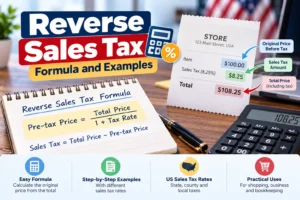
The formula for calculating sales tax backwards is:
Pre-TaxPrice=TotalPrice1+TaxRate
First, convert the sales tax percentage into a decimal.
For example:
- 5% = 0.05
- 6.5% = 0.065
- 8% = 0.08
- 8.25% = 0.0825
- 10% = 0.10
Once you have the decimal rate, add 1 to it and divide the total amount by the result.
To calculate the included tax, use the second formula:
SalesTax=TotalPrice-Pre-TaxPrice
Quick Example
Suppose the final price is $216 and the applicable sales tax rate is 8%.
Step 1: Convert 8% to 0.08.
Step 2: Add 1 to the decimal rate.
1+0.08=1.08
Step 3: Divide the final price by 1.08.
$216 / 1.08 = $200
Step 4: Subtract the pre-tax price from the total.
$216 – $200 = $16
The original price was $200, and the included sales tax was $16.
How to Calculate Sales Tax Backwards Step by Step
Follow these five steps to find the original price and tax amount from a tax-inclusive total.
Step 1: Find the total amount paid
Identify the final amount on your receipt or invoice, including sales tax.
Step 2: Identify the correct tax rate
Use the combined applicable state and local rate for the transaction, rather than assuming the state rate alone applies.
Step 3: Convert the rate to a decimal
Divide the percentage by 100. For example, 7.5% becomes 0.075.
Step 4: Calculate the pre-tax price
Divide the total amount by 1 plus the decimal tax rate.
Step 5: Calculate the included tax
Subtract the calculated pre-tax price from the original total.
These steps work when the total contains one applicable tax rate and the entire amount is subject to that rate. Receipts containing exempt products, different tax rates, or special fees may require separate calculations.
Reverse Sales Tax Calculator Example
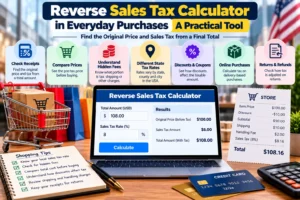
You can use the following calculator to enter a tax-inclusive price and a sales tax rate. It calculates the estimated pre-tax amount and included sales tax.
The calculator is useful for everyday estimates, but it does not identify the legally applicable tax rate for your location or determine whether individual items are taxable.
Reverse Sales Tax Examples for Different Tax Rates
The following examples demonstrate how the reverse sales tax formula works with different rates commonly used in US pricing calculations. These are illustrative rates, not claims about current rates in specific cities.
| Total including tax | Tax rate | Pre-tax price | Tax included |
| $105.00 | 5% | $100.00 | $5.00 |
| $106.50 | 6.5% | $100.00 | $6.50 |
| $107.25 | 7.25% | $100.00 | $7.25 |
| $108.00 | 8% | $100.00 | $8.00 |
| $108.25 | 8.25% | $100.00 | $8.25 |
| $110.00 | 10% | $100.00 | $10.00 |
For each example, the final amount is divided by one plus the decimal tax rate. The difference between the final amount and the pre-tax price is the included tax.
Example 1: How to Calculate Sales Tax Backwards at 6%
Suppose you purchased a product for $212, including a 6% sales tax rate.
Convert 6% to 0.06:
$212 / (1+0.06) = $200
Then calculate the tax:
$212 – $200 = $12
The original price was $200, and the sales tax was $12.
Example 2: How to Calculate Sales Tax Backwards at 8.25%
Suppose an invoice shows a tax-inclusive total of $541.25 at an 8.25% tax rate.
$541.25 / 1.0825 = $500
The included tax is:
$541.25 – $500 = $41.25
The pre-tax amount is $500, and the included tax is $41.25.
Example 3: How to Calculate Sales Tax Backwards at 10%
Imagine you paid $330 for a product at an assumed 10% sales tax rate.
$330 / 1.10 = $300
$330 – $300 = $30
The original price was $300, and the included sales tax was $30.
Why You Cannot Simply Subtract the Sales Tax Percentage
One of the most common mistakes in reverse sales tax calculations is subtracting the tax rate directly from the final total.
For example, suppose a product costs $108, including 8% sales tax.
Incorrect calculation:
$108 – ($108 * 0.08) = $99.36
This produces an incorrect pre-tax price of $99.36.
Correct calculation:
$108 / 1.08 = $100
The correct pre-tax price is $100, and the tax is $8.
Why does this happen? Because the original tax was calculated on the pre-tax price of $100, not on the final amount of $108. To reverse the calculation, you must divide by the multiplier used to add the tax.
Remember this simple rule: when adding sales tax, multiply; when removing included sales tax, divide.
How to Calculate Reverse Sales Tax in Excel or Google Sheets
If you regularly work with receipts, invoices, or sales records, Excel and Google Sheets can automate reverse sales tax calculations.
Suppose your spreadsheet contains the following information:
| Cell | Information | Example |
| A2 | Total price including tax | $108.00 |
| B2 | Sales tax rate | 8% |
| C2 | Pre-tax price | Formula |
| D2 | Sales tax included | Formula |
Enter the following formulas.
To calculate the pre-tax price in C2:
=A2/(1+B2)
To calculate the included tax in D2:
=A2-C2
Format cells A2, C2, and D2 as currency. Enter B2 as a percentage, such as 8%, rather than the number 8.
For a spreadsheet containing hundreds of transactions, you can copy the formulas down the relevant columns. However, ensure each transaction uses the correct rate and that exempt or differently taxed items are handled separately.
How US Sales Tax Rates Affect Reverse Calculations
The United States does not have one nationwide general retail sales tax rate. Sales tax requirements are established primarily at the state and local levels, and applicable rates can vary by jurisdiction.
A combined rate may include:
- State sales tax
- County sales tax
- City sales tax
- Special district taxes
The applicable rate depends on the transaction, the jurisdiction, the type of product or service, and relevant state rules. For online purchases, the delivery destination often determines the applicable local rate, although specific sourcing rules vary.
Before calculating reverse sales tax, verify the rate that actually applied to the transaction.
Useful official resources include:
- New York State Department of Taxation and Finance — explains combined state and local rates.
- Streamlined Sales Tax: State Tables — provides links to state tax agencies and rate lookup resources.
- Texas Comptroller: Sales Tax Collection FAQs — provides an official example of calculating the tax portion of a tax-inclusive price.
These resources are especially helpful for businesses that need to verify the correct rate rather than rely on a generic estimate.
Important Considerations for US Consumers and Businesses
Reverse sales tax is a mathematical calculation, but using the result correctly requires understanding how sales tax applies to the transaction.
1. Not every product or service is taxable
Some products and services may be exempt or subject to special rules, depending on the state and transaction. For example, treatment can differ for groceries, clothing, digital products, and professional services.
Do not assume that every amount on a receipt has been taxed at the same rate.
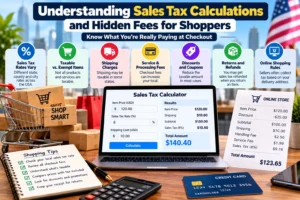
2. Shipping and handling may affect the taxable amount
Shipping charges can be taxable in some states and circumstances. Texas, for example, generally treats delivery charges connected with taxable items as taxable. Other jurisdictions have their own rules.
When reversing tax from an invoice that includes shipping, confirm whether the shipping charge was included in the taxable base.
3. Discounts can change the calculation
A discount may reduce the taxable selling price, depending on the transaction and applicable rules.
For example, if a product originally costs $100 but is discounted to $80 before tax, the reverse calculation should generally use the final tax-inclusive amount and the rate applied to the discounted taxable price.
4. Rounding can create small differences
Sales tax is usually reported in US dollars and cents, but the underlying calculation can produce fractions of a cent. States may specify how sellers should calculate and round tax.
For example, the Texas Comptroller instructs sellers to calculate tax to the third decimal place and round to the nearest cent according to its stated rule.
When reconciling an actual receipt, use the tax amount shown on the receipt where available rather than expecting every reverse calculation to match exactly because of rounding.
5. Keep original receipts for accounting
For business expense records, reimbursements, bookkeeping, and tax preparation, retain the original receipt or invoice. A reverse sales tax calculation can help you understand the total, but it does not replace transaction documentation.
Businesses should follow the tax and recordkeeping requirements applicable to their circumstances.
Frequently Asked Questions About Reverse Sales Tax
1. What is the formula for reverse sales tax?
The formula is:
Pre-TaxPrice=TotalIncludingTax1+TaxRate
Convert the tax rate into a decimal before using it. Subtract the pre-tax price from the total to calculate the included tax.
2. How do I remove 8% sales tax from a total?
Divide the tax-inclusive total by 1.08. For example, $108 divided by 1.08 equals $100 before tax. The included tax is $8.
3. How do I calculate the tax amount from a receipt?
Divide the total by one plus the applicable decimal tax rate to find the pre-tax price. Then subtract that price from the total to determine the included tax.
4. Can I calculate reverse sales tax without knowing the tax rate?
Not reliably from the total alone. You generally need the applicable tax rate or additional information, such as the original receipt, to separate the pre-tax amount from the tax.
5. Is reverse sales tax the same in every US state?
The mathematical formula is the same when a single known rate applies to the full taxable amount. However, the actual rate, taxable items, sourcing rules, and rounding requirements vary by jurisdiction.
6. How do I calculate reverse sales tax in Excel?
If A2 contains the tax-inclusive total and B2 contains the tax rate formatted as a percentage, use =A2/(1+B2) to calculate the pre-tax price. Subtract that result from A2 to calculate the included tax.
7. What if the total includes products with different tax rates?
You may need to calculate each taxable portion separately using its applicable rate. A single reverse calculation may produce an incorrect result when the receipt contains taxable and exempt items or items subject to different rates.
8. Is reverse sales tax useful for business accounting?
Yes. It can help businesses analyze tax-inclusive receipts, reconcile sales records, review invoices, and separate the selling price from collected tax. Actual reporting should follow the applicable jurisdiction’s requirements.
Conclusion
Learning how to calculate sales tax backwards makes it easier to understand receipts, verify invoices, and identify the original price of a purchase.
The essential formula is simple: divide the final price by one plus the applicable decimal tax rate to recover the pre-tax amount. Then subtract that amount from the total to determine the included tax.
For example, a $108 purchase with an 8% sales tax rate contains a $100 pre-tax price and $8 in tax.
For accurate results in the United States, always verify the applicable state and local rate, account for taxable and exempt items, and consider any relevant shipping or rounding rules. A reverse sales tax calculator can make routine calculations faster, while official state tax resources help you confirm the rules that apply to your transaction.
References
Use these authoritative resources in this article.
| External resource | Suggested anchor text | SEO purpose |
| Texas Comptroller | official reverse sales tax calculation example | Supports the reverse calculation formula |
| New York State Tax Department | state and local sales tax rates | Explains jurisdiction-specific rates |
| Streamlined Sales Tax | state sales tax resources | Helps readers locate state tax agencies |
| IRS Small Business Resources | IRS small business tax information | Provides general federal business tax guidance |